

M3U and M3U8 both refer to text playlists. M3U8 indicates UTF-8 encoding; in streaming workflows, an M3U8 address often identifies an HLS manifest for one stream. An IPTV M3U commonly lists several channels instead. The practical M3U vs M3U8 question is therefore about both encoding and the file's role. Inspect the contents before deciding whether to import a channel directory or open a single HLS stream.
Encoding is one difference
M3U8 identifies UTF-8 text
UTF-8 can represent names in many languages consistently. An M3U file can also use UTF-8; the shorter extension alone does not identify its actual encoding. An M3U8 file is expected to use UTF-8 text. That distinction concerns how characters are represented, rather than which video codec the source uses.
The HLS specification, RFC 8216 section 4, describes UTF-8 playlist requirements for HLS. Do not extend that into a claim that every file named M3U8 is a valid or playable HLS source. A filename can be misleading, and a server may publish a playlist without a helpful extension.
Character problems and media problems differ
If a name looks corrupted, inspect how the original text was encoded and saved. If the name is correct but the stream fails, text encoding may not be the issue. Preserve a copy before converting anything. Changing a text file cannot supply a missing media decoder or restore an unavailable source.
Channel list or stream manifest?
A channel directory contains choices
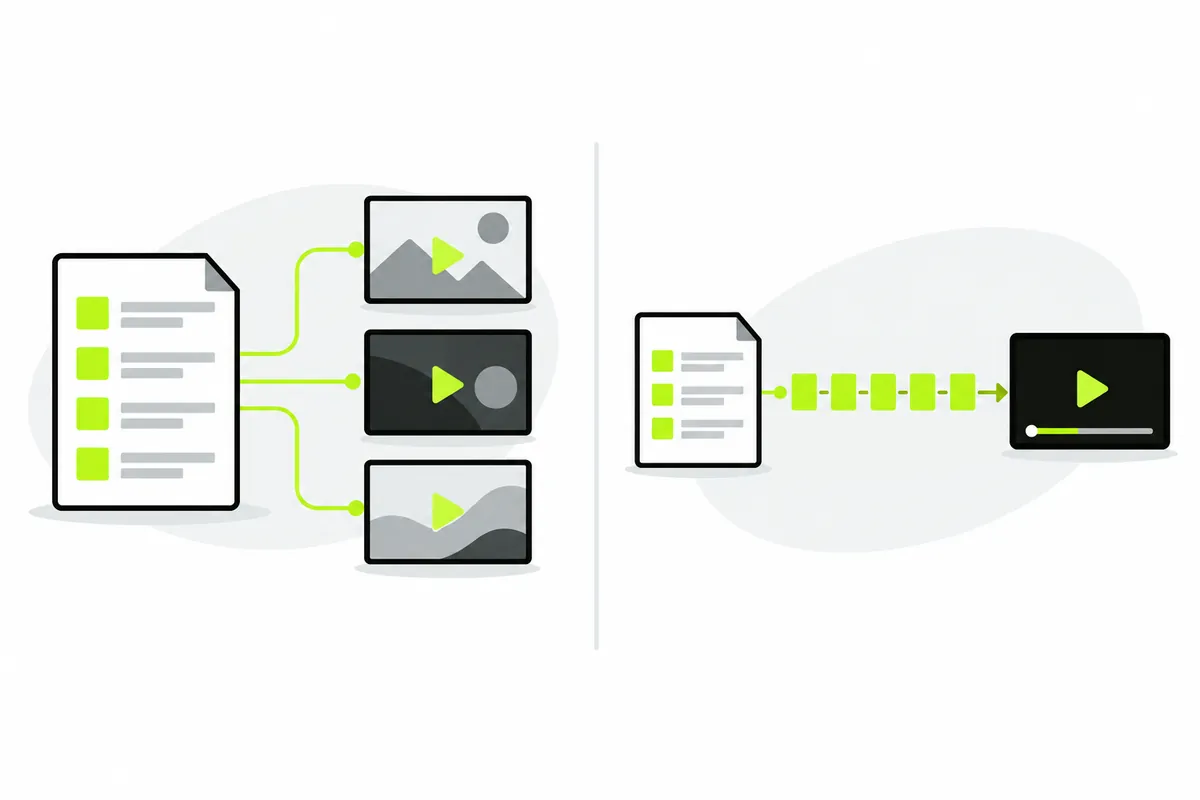
A typical IPTV M3U playlist lists named entries pointing to full media URLs. Selecting an entry tells the player which source to open. The entries can include HLS manifests, compatible video files or protocols a browser cannot play. The directory's M3U extension does not certify the formats inside it.
An HLS manifest describes playback resources
An HLS media playlist refers to media segments. A master HLS manifest can point to alternative renditions. Such an HLS manifest describes a stream's playback resources rather than acting as a multi-channel television directory. The player may need several successful requests before video progresses, even though the first HLS manifest response was readable.
Apple's HLS overview provides background on this delivery approach. IPTV describes the broader viewing context; HLS describes one possible way to deliver its media. These terms are related without being interchangeable.
Inspect two small examples
A named-entry playlist
This M3U example references one channel. Its example.com URL illustrates structure and is not a working source.
#EXTM3U
#EXTINF:-1 group-title="Learning",Example channel
https://example.com/live/channel.m3u8
This channel playlist is a directory: the named entry points to another resource. Importing the M3U list lets you select that entry. The target M3U8 address may then describe the actual HLS stream.
A media-segment manifest
This second format-only example is a simplified HLS media playlist; the segment is not included or playable here.
#EXTM3U
#EXT-X-TARGETDURATION:6
#EXT-X-MEDIA-SEQUENCE:0
#EXTINF:6,
segment000.ts
#EXT-X-ENDLIST
Both examples contain #EXTM3U and #EXTINF, so those lines alone are insufficient to distinguish their purpose. HLS-specific tags and segment or rendition references supply additional context. Inspect the whole small example rather than classifying a large file from its first line.
Choose a file import or a URL
A local channel playlist
Use a local channel playlist when it contains complete media addresses and you are permitted to use it. The browser reads its text without adding it to a saved account library. Keep the original source separately so you can obtain an updated list later.
A remote manifest needs its origin
An HLS manifest can reference relative segment paths. Its original URL supplies the base needed to resolve them. A local copy of only that text does not contain the referenced segments or establish their remote location. Use the original permitted manifest URL rather than assuming a downloaded file can stand alone.
The M3U player accepts playlist input, and a remote HLS manifest can be treated as a single-stream input. This capability is separate from claiming that every M3U8 source works. Source permission, browser support and referenced resources still matter.
Why renaming does not fix playback
Renaming .m3u to .m3u8 changes a filename, not the bytes, URLs or video encoding. It does not turn a channel directory into a valid HLS manifest. Likewise, naming an HTML error response stream.m3u8 will not create media.
A browser must decode the actual audio and video. For HLS library playback, referenced resources must also allow the required requests. The hls.js project documents its cross-origin requirements. An HLS manifest loading successfully is only one step in that request chain.
Diagnose a downloaded HLS manifest
Imagine a permitted HLS manifest references segment000.ts relative to its own directory. You save the text locally and import the copy. The browser no longer has the original remote base, and the segments were not downloaded with the text. That hypothetical example explains a missing-resource problem, rather than proving that the M3U8 extension is unsupported.
Return to the original HLS manifest URL and test it under the source's documented conditions. If playback still fails, compare the controlled demo and check the visible error. Do not repeatedly rename the same file. Our playback help separates access, codec and availability failures.
Keep format inspection separate from editing a producer's HLS manifest. Removing an unfamiliar tag or inventing segment filenames can damage a valid HLS manifest. For a report, a short redacted excerpt showing the header, relevant HLS tags and the kind of references is usually more useful than a large private dump. Preserve the original text so you can compare it with any local change. If the source needs a licence or a protected access method, a different extension does not supply that permission.
Choose a useful next step
For channel-entry structure, read M3U playlists explained. For current browser implementation and recorded testing, check Compatibility. Report the input type, failed stage and a redacted example rather than sharing private URLs.
The useful M3U vs M3U8 decision is not which extension sounds more modern. Determine the encoding, the channel playlist or HLS manifest’s role and whether its referenced resources are reachable. Those three checks tell you much more about what the browser needs to do.