

An “IPTV GitHub” search may lead to a repository or a published playlist. To open an IPTV playlist hosted on GitHub, copy the address that returns the file's text rather than the repository's preview page. A preview displays GitHub's interface; a raw file response supplies the bytes a playlist importer needs. GitHub can help maintain and publish an IPTV list, but it usually does not host the live media behind its entries. Keeping those roles separate makes both importing and troubleshooting more predictable.
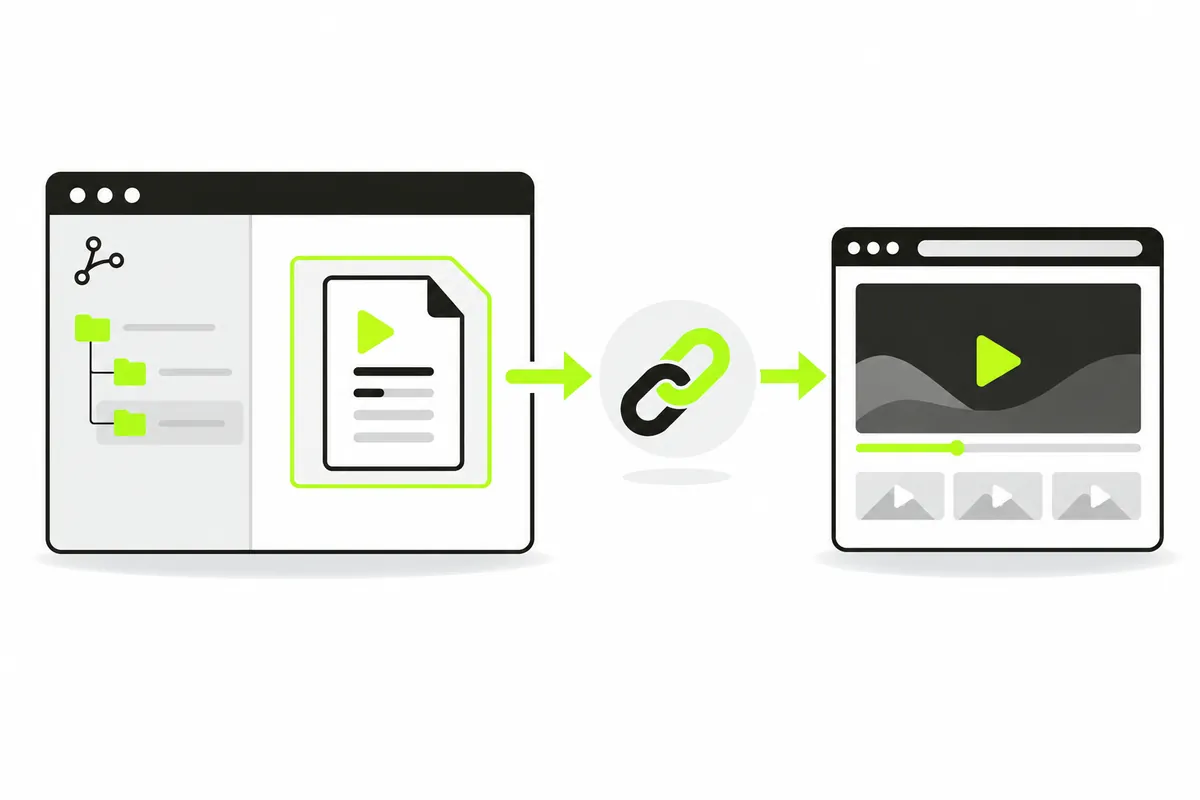
How GitHub fits an IPTV workflow
GitHub hosts repository files and provides a way to maintain changes. A repository might contain M3U lists, documentation or tooling. Its name or star count does not establish stream availability, rights or compatibility. Read what the repository actually publishes before copying an address.
The list host and media hosts differ
A list stored on GitHub can reference many external stream servers. The raw file can remain available even when one of those servers stops delivering video. Conversely, a moved repository file can break import while its individual media sources continue to work elsewhere. Separate the text location from the stream locations in every diagnostic report.
Understand three URL types
A repository preview is a web page
An address containing a path such as /owner/repository/blob/branch/channels.m3u normally identifies a GitHub preview. The filename is visible in the URL, but the response includes the website interface. A text importer cannot treat that HTML as an M3U list.
A raw address returns file content
Use GitHub's Raw control when viewing the actual file. The resulting address commonly uses raw.githubusercontent.com. Copy the destination from the opened file response instead of reconstructing it from memory. GitHub's file viewing documentation explains the raw-file control.
A project can publish a separate URL
A repository may document a GitHub Pages address for generated playlists. In that case, use the repository’s maintained published link. A Pages site can also serve ordinary HTML, so the host name alone is not enough: inspect what the particular URL returns.
Copy the raw IPTV playlist step by step
- Open the repository README and locate the specific list or published catalogue.
- Read its source and usage notes before opening the file.
- If the link leads to a file preview, select Raw.
- Copy the resulting address and inspect that it returns playlist text.
- Paste that GitHub playlist address into the player, then import it and select one entry.
For structure only, a preview might resemble https://github.com/example/project/blob/main/channels.m3u; its raw counterpart might resemble https://raw.githubusercontent.com/example/project/main/channels.m3u. These invented paths are not working sources. Actual owner, branch and file names must come from the repository you are using.
Review the IPTV repository before using it
Documentation is more useful than popularity
Check the README, published list catalogue, recent changes and known issues. A large repository can contain entries intended for different players or environments. Prefer a documented small selection matching your task over a copied “all channels” file with no origin information.
The independent iptv-org repository provides a maintained catalogue link in its README. The familiar iptv-org.github.io/iptv/index.m3u address is a published list location, not a media stream or a subscription provided by iiPTV. Review current documentation before choosing a list.
Respect testing and redistribution conditions
A GitHub playlist file can still have a limited purpose. The APTV repository labels its linked sources for testing and describes distribution restrictions. We do not preload or republish those lists. A visible GitHub link should not be interpreted as unrestricted permission to copy a channel collection.
Import the list and check one stream
Open the browser player and choose URL import. After the list appears, inspect names and groups, then test one channel. Registration is not required. The browser fetches the list directly, then requests the selected media from its own host.
If you compare the same media address in VLC, use the provider's supported workflow. A native player's success can be useful evidence, but its decoder set and network behaviour can differ from a browser. Do not conclude that a working VLC link guarantees web playback. The compatibility page describes this player's boundaries.
Troubleshoot three common cases
The importer receives HTML
Imagine you pasted a GitHub preview URL and the player reported an invalid list. Open the specific file, select Raw and retry once with the actual text address. That hypothetical case is an input-response mismatch; selecting another video codec would not fix it.
The raw path no longer exists
A repository owner may rename a branch, move a file or change generated IPTV output. Revisit the README rather than guessing replacement paths. A private repository also does not become accessible to a public player simply because you are signed into GitHub in another tab.
The list loads but the channel fails
Check the media address rather than the GitHub file alone. A source can expire, restrict access or use an unsupported protocol while the GitHub playlist text remains valid. Follow playback help. If the browser cannot fetch the list at all, use playlist loading help.
Updates, privacy and responsible reports
Keep the original published GitHub playlist URL and note when you retrieved a local copy. Different repositories can use different default branch names. Do not change master to main simply to make a copied URL look familiar, and do not remove directory segments that the Raw control supplies. A plausible-looking address can still identify a different file or return an error response. Compare against the current repository documentation before editing it.
A downloaded file is a snapshot; it will not automatically receive repository updates. Refresh from the repository's maintained instructions when addresses change.
Remove tokens, passwords and private stream locations before reporting an IPTV issue. Identify whether the failure concerns GitHub file access, playlist parsing or media playback. Share only material you are permitted to disclose, and contact the source maintainer for unavailable published entries. A correct raw URL solves the file-response task; it cannot repair or authorize every stream listed inside it.